Scan widget walkthrough
By adding Clym's scan widget to your website, you can allow your customers and merchants to run a free scan that analyzes their website's cookies and scripts, detects current privacy and consent mechanisms in place, and provides an accessibility score on the current website design. This report helps to identify areas where your customers may be at risk and outlines where Clym can help to bridge the gap by providing the solutions that protect their websites against global data privacy and accessibility regulations.
Generating a scan report is an easy 3-step process:
- Provide Domain Name
- Provide personal details
- Receive scan report results
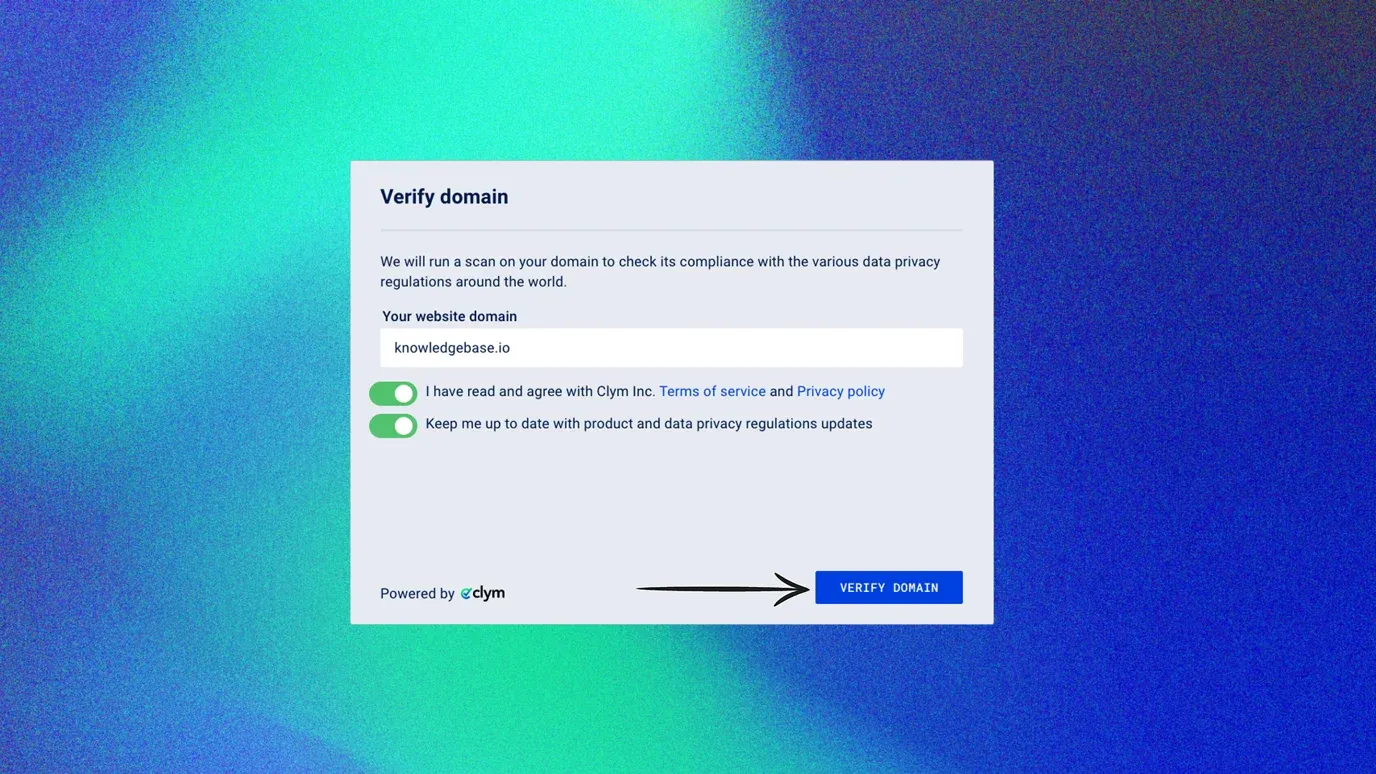
1. Provide Domain name
Add your website's URL into the Your website domain field. Please read Clym's Terms of Service and Privacy Policy and Toggle On to agree. To subscribe to our newsletter, Toggle On the option to Keep me up to date with product and data privacy regulations updates.
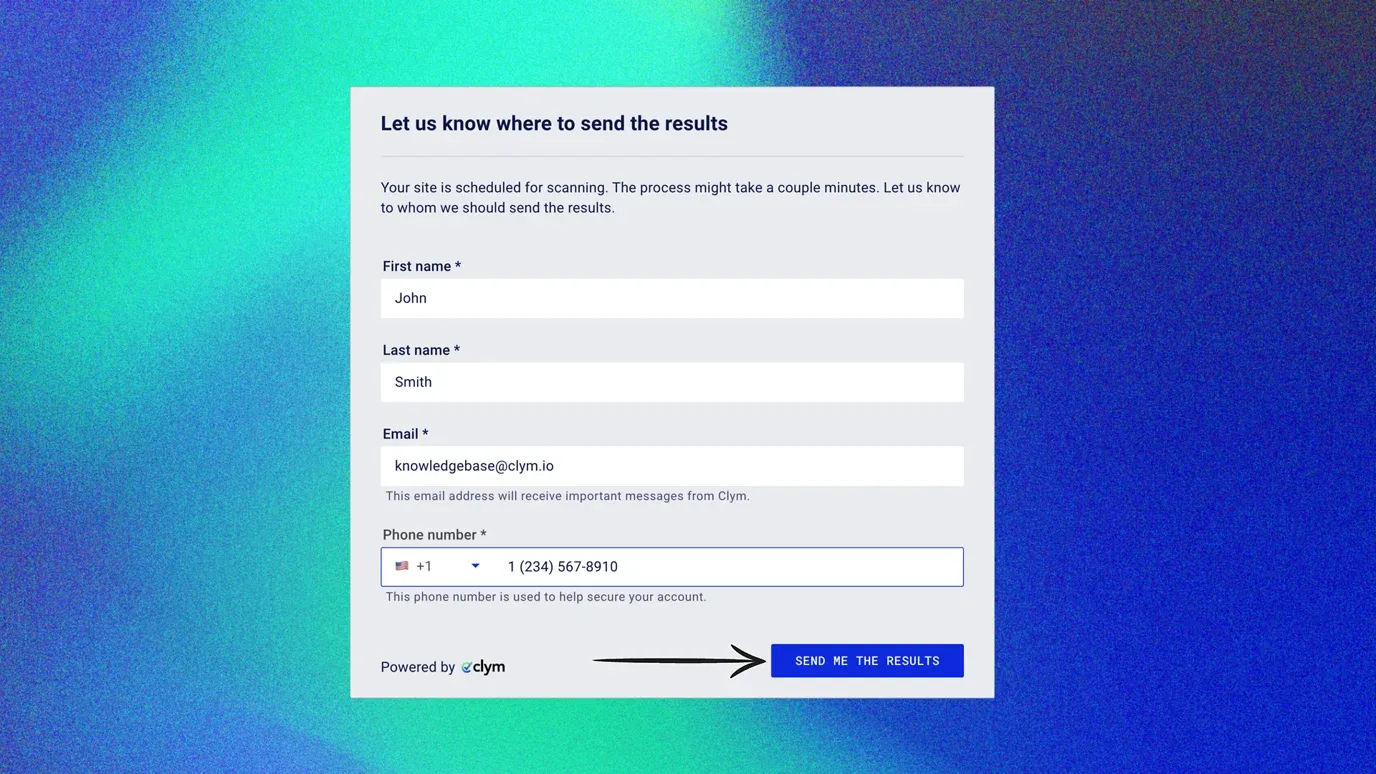
2. Provide personal details
Provide your First Name, Last Name, Email, and Phone Number, and click Send me the results.
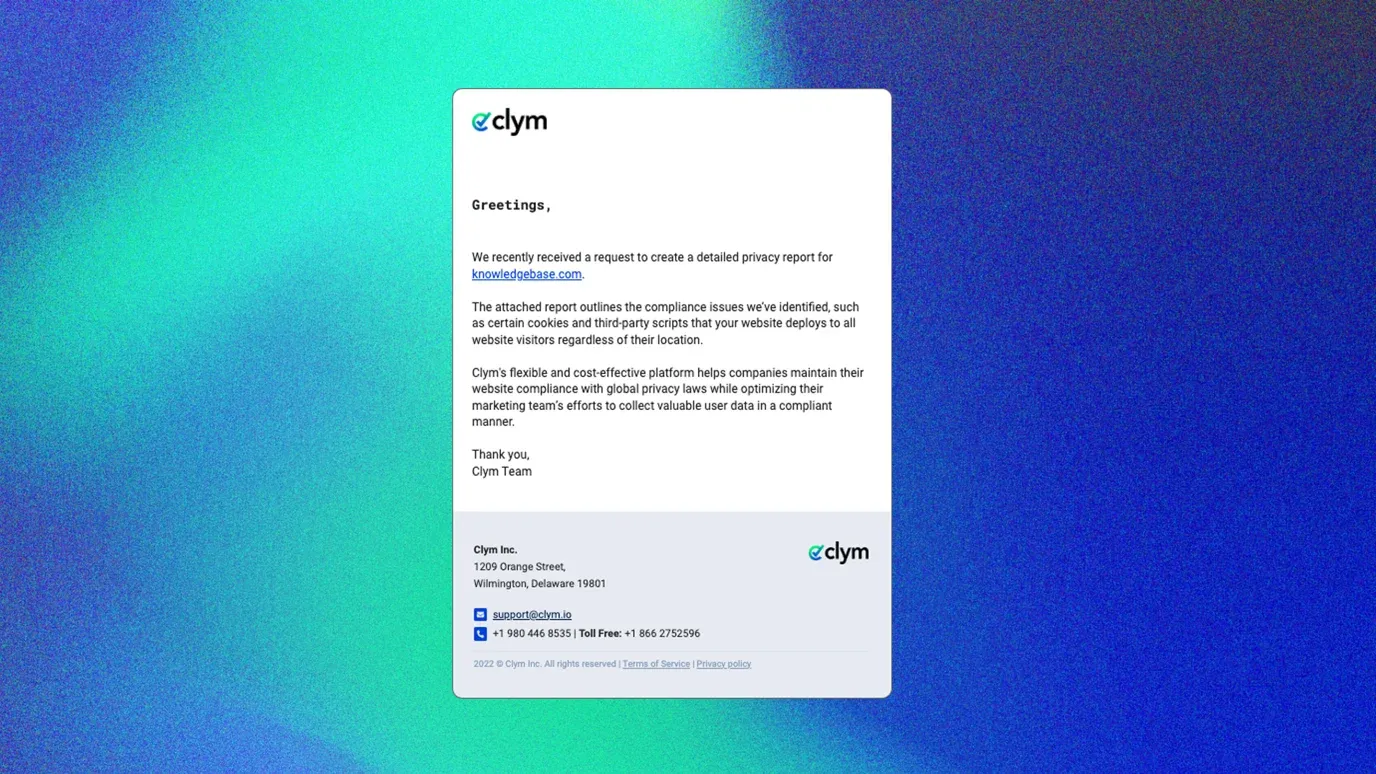
3. Receive scan report results
Once you have submitted the form, you will receive an automated email from Clym containing your scan report results.
If you encounter any challenges, please reach out to us at support@clym.io.